Cloudfront Services List
Amazon CloudFront is a Content Delivery Network (CDN) service developed by Amazon Web Services (AWS). It is a global service that provides fast, high-quality access to static and dynamic content such as images, video, audio, web applications, and more. With CloudFront, users can improve web application performance and reduce latency and lag when accessing content from around the world. CloudFront also provides features such as access restriction, cache invalidation and more, which makes it easier to manage content that is delivered globally.
Cloudfront Distribution
| Distribution ID | Name | URL | Environment | Description |
|---|---|---|---|---|
| E36LAJDAL24RPI | Frontend Reguler | https://arkademi.com | Production | Caching Frontend (js, css & static asset) |
| E1EAY7M726VSXD | API Course Reguler | https://api-course.arkademi.com | Production | Caching API Course Production Reguler (Endpoint) |
| E26SXYOKVA4KYJ | Frontend Prakerja | https://prakerja.arkademi.com | Production | Caching Frontend Prakerja (js, css & static asset) |
| E2C1RDXLBWIJW2 | API Course Prakerja | https://prakerja-api-course.arkademi.com | Production | Caching API Course Production Prakerja (Endpoint) |
| E2MRL01KR1LZUM | Staging Frontend Reguler | https://fe.arkademi.com | Production | Caching Staging Frontend |
| E158P1A6YNKVSQ | Staging API Course Reguler | https://apicourse2.arkademi.com | Staging | Caching Staging API Course Reguler |
| E2BR2HPB1W7JZJ | Staging API Course Prakerja | https://stag-prakerja-apicourse-fgt.arkademi.com | Staging | Caching Staging API Course Prakerja |
| E26SXYOKVA4KYJ | Frotend Prakerja Staging | https://stag-webinar.arkademi.com | Staging | Caching Staging Frontend Prakerja |
API Behaviour
Within each Cloudfront Distribution there are several caching/non-caching behaviors that exist. Here below is how to see what behaviors are present in the API:
- Click the distribution ID.
- It will redirect to the General Tab page.
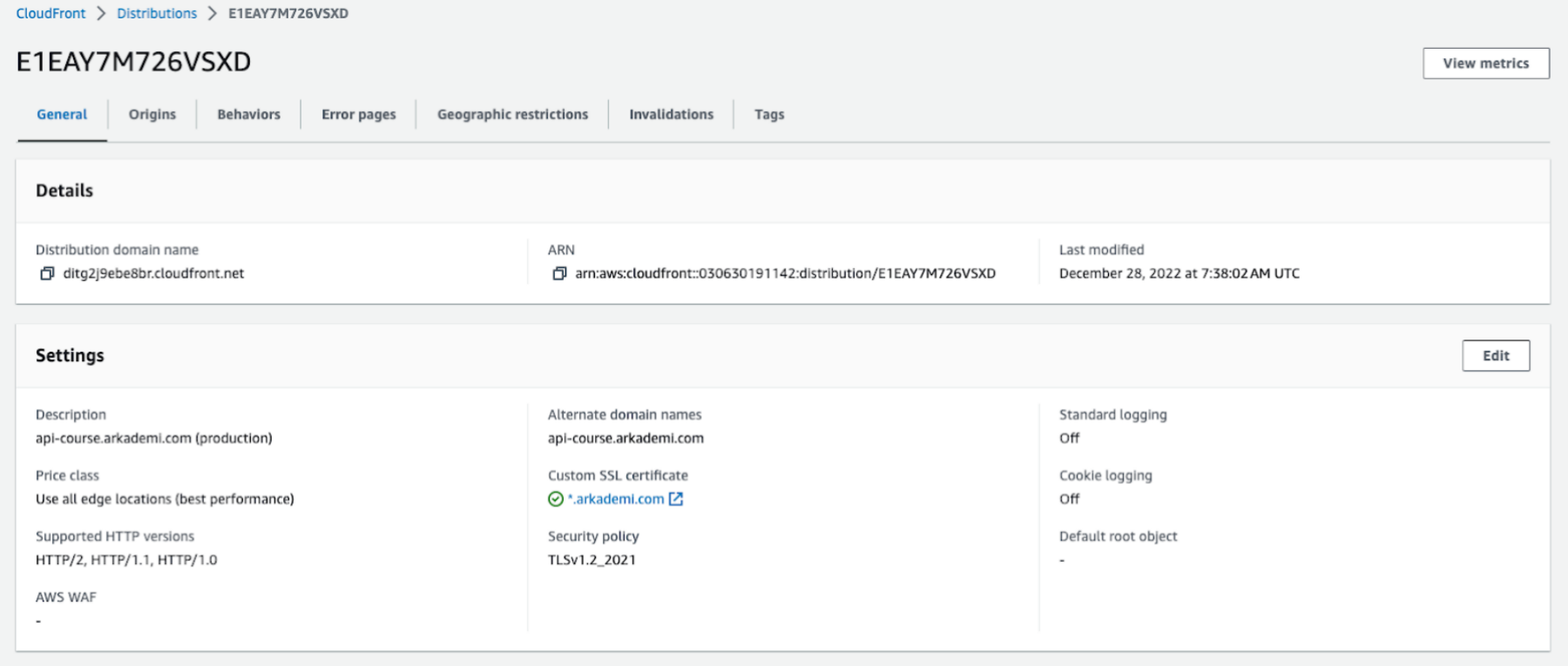
- Then move it to the Behaviors tab.

- Cloudfront does caching based on the
URI/Endpoint/pathof the API as shown above. It can be viewed in more detail by clicking the Edit button.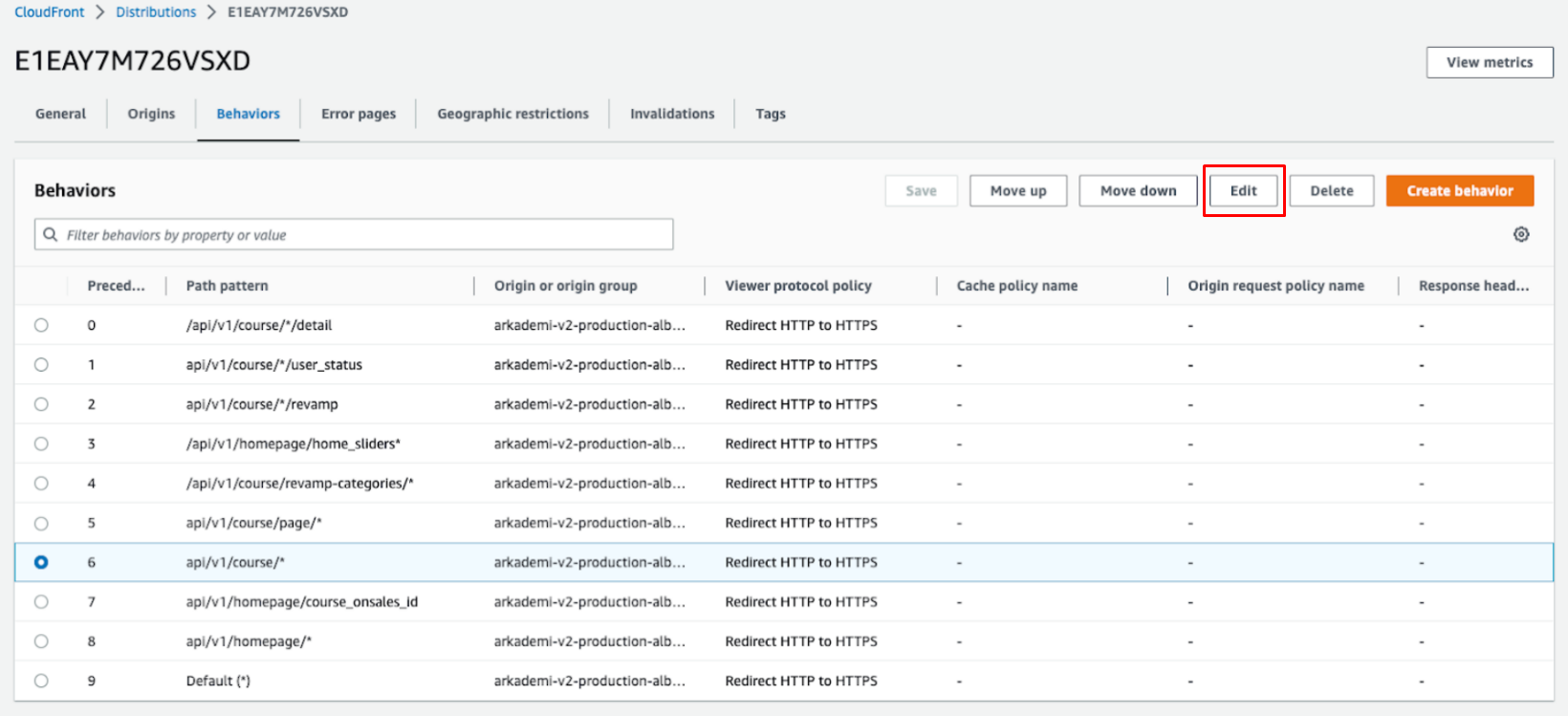
- In the path pattern, you can input specific Endpoint/path or General (by using
*as a wildcard) with the example/api/v1/course/*which means that each Endpoint/api/v1/course/12345or/api/v1/course/54321will be cached. Then you can set Redirect HTTP to HTTPS, and Allow HTTP Methods that are benign to be cached.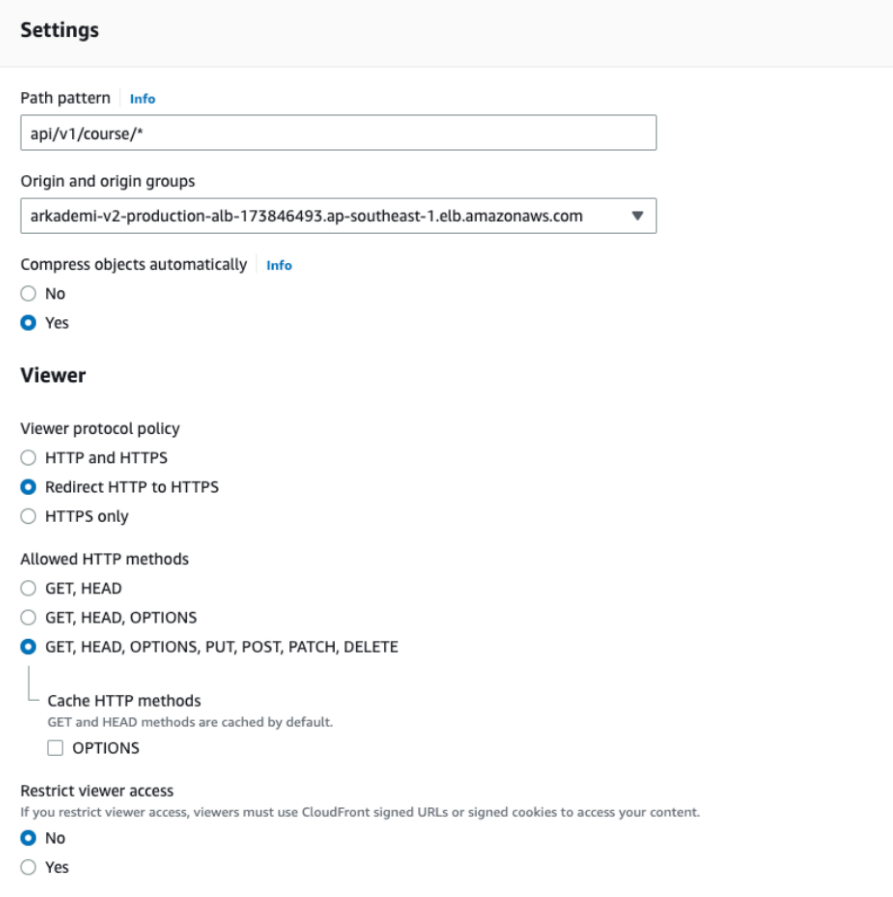
- Next, scroll down to the cache key and origin requests section. You can input specific headers to be cached, such as Origin, Host, etc. If you want to set how long the caching will last, then you can select the customize option then specify how long the caching will be kept (in seconds). For the path
/api/v1/course/*, it will be cached for about 86400 seconds or about 24 hours until cloudfront will make another request to the origin.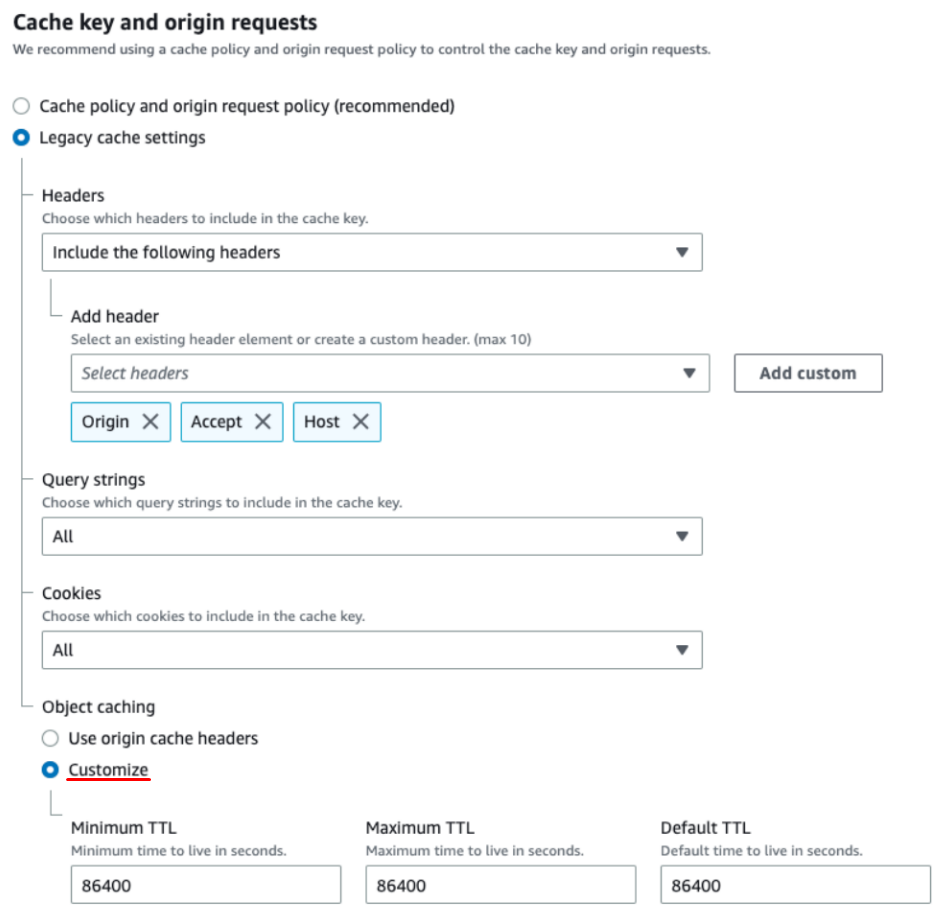
- If there are changes from the Developer after deployment, then there is a cached path, you don't have to wait 24 hours for the data to be updated. This can be resolved by performing invalidation (clear cache), and to do this, go to the invalidation tab as illustrated below.
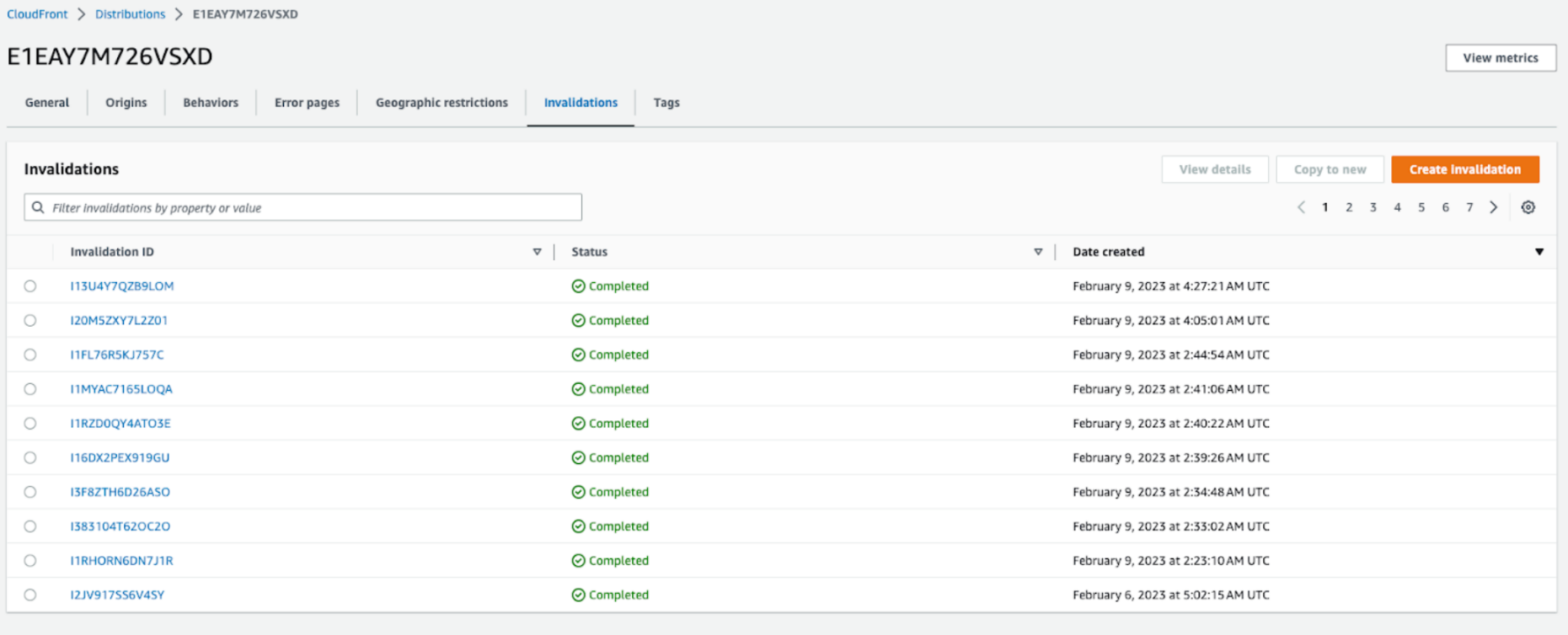
- To do Invalidation, you can click the Create Invalidation button.
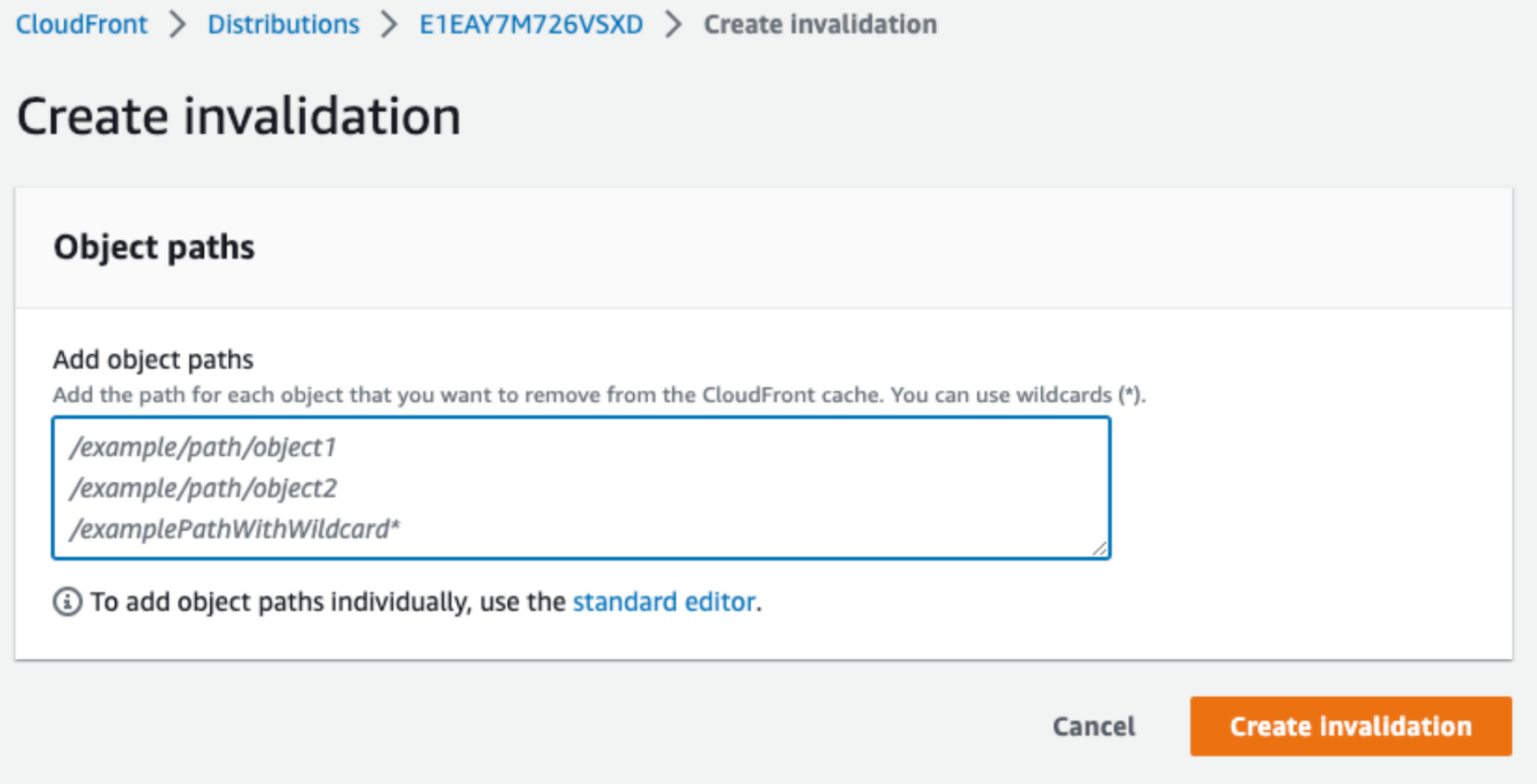
- Then enter the path you want to clear the cache, for example
/api/v1/course/12345as below, then submit by clicking the Create Invalidation button.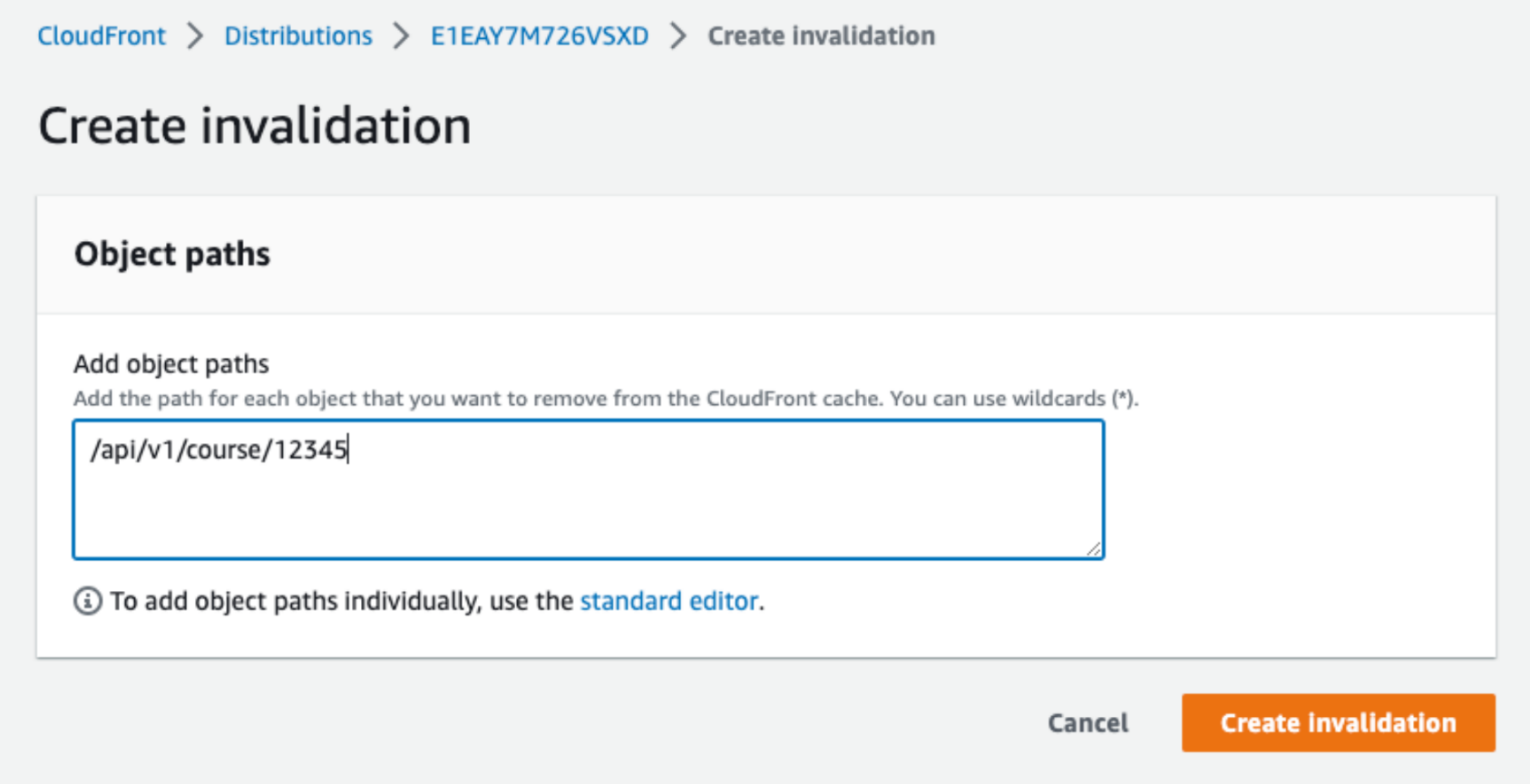
- It takes some time to process invalidate, so please wait until the status becomes completed.


- If you don't know which path you want to clear cache, you can do it by utilizing the wildcard
*as shown below.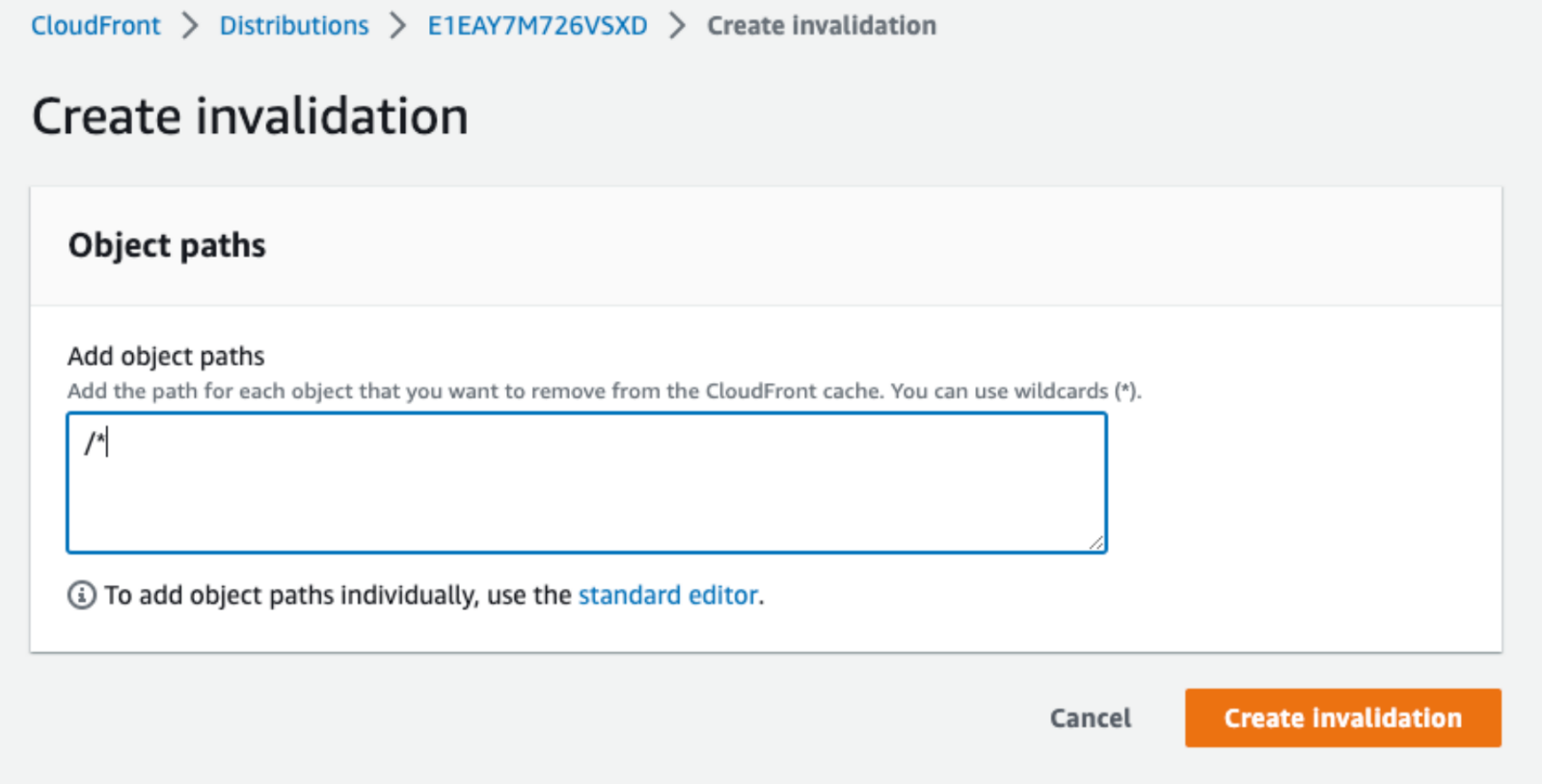
- To see whether the caching is working in the browser, you can see it through the inspect element.

Notes
- Path
- Response Header
On the
path, is included in the cached path because there is a caching behavior in
it, i.e. : /api/v1/course/*
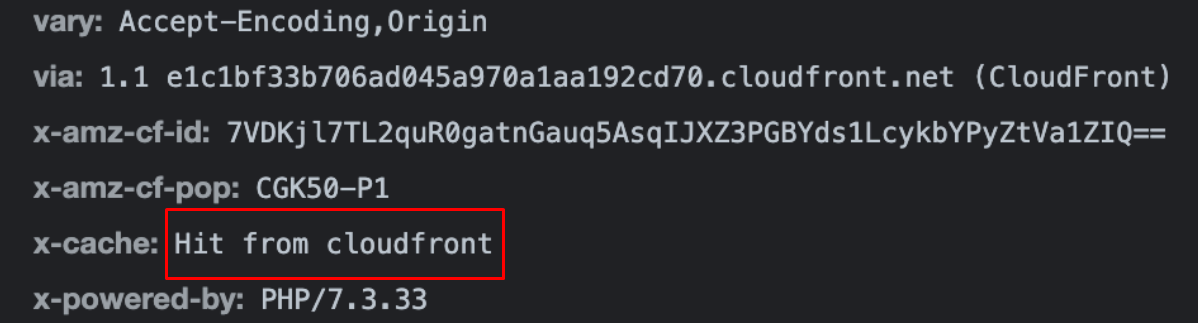
In the Response Header section there is x-cache: Hit from cloudfront which indicates that this path is cached by cloudfront.