Arkademi for Company
Product Overview
Product Description
This is a SaaS-based learning platform that allows users to access online courses. The platform has two main types of users:
- User: The end-users who register to take courses and can access educational content.
- Admin: The administrators who are responsible for adding and managing courses and monitoring user activities.
Main Objectives
- To make it easy for users to sign up, access, and learn through online courses.
- To give admins full control to manage users, courses, and track learning performance.
Target Users
A company that needs an independent portal to train its employees.
Feature List
Features for Users
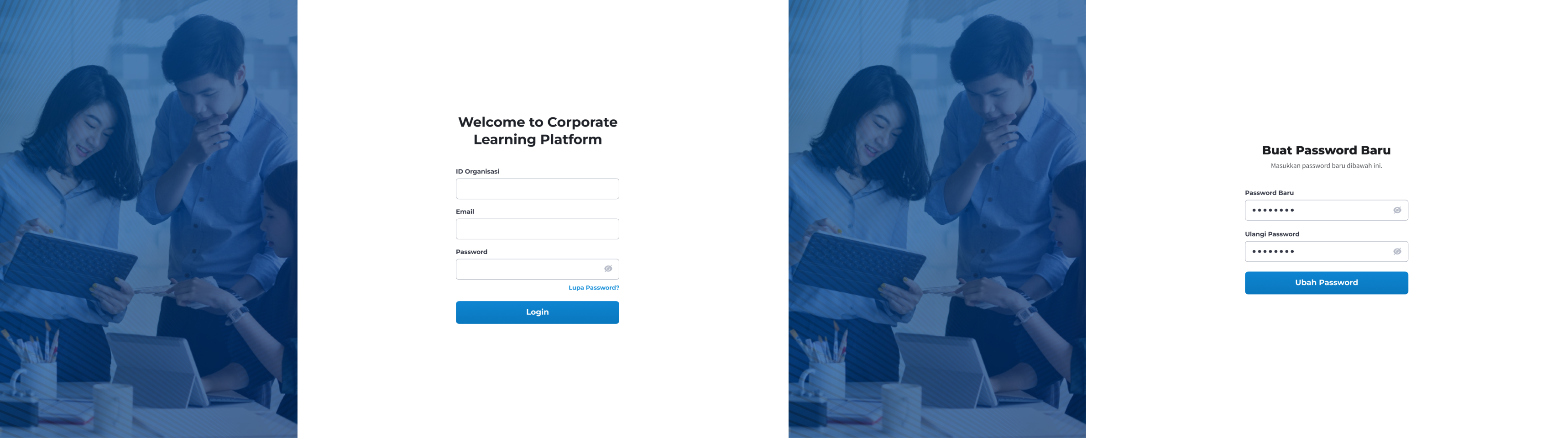
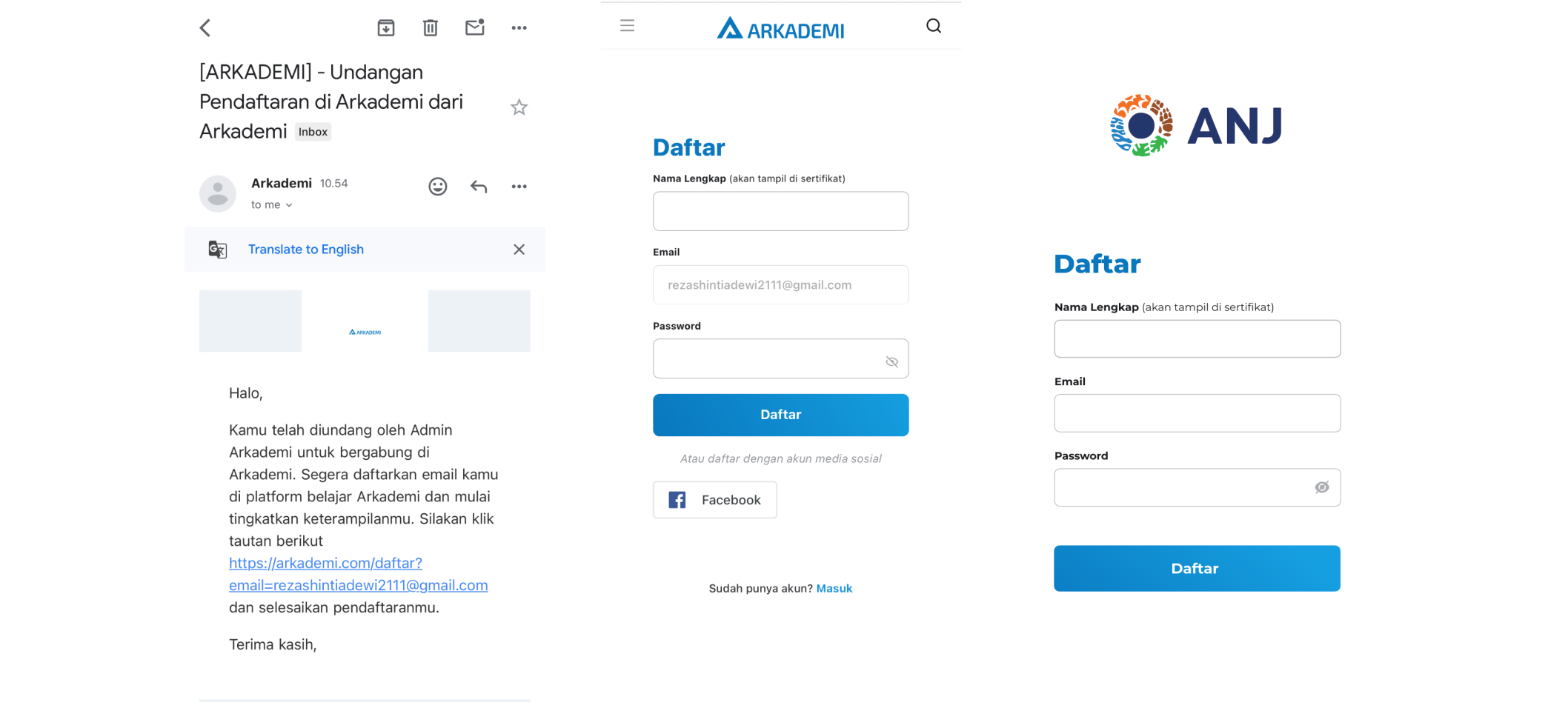
- Registration and Login: Users can create accounts, log in, and manage their profiles.
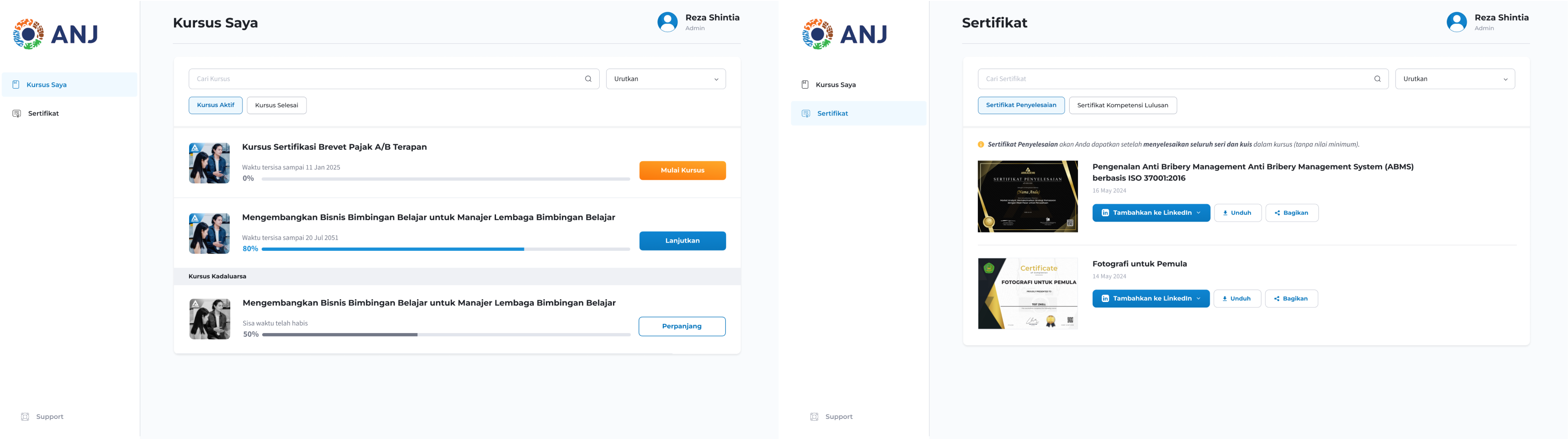
- Course Content Access: Users can enroll in courses and access educational materials (videos, documents, quizzes).
- Learning Progress: Users can track their learning progress and complete tasks or quizzes within courses.
- Certificate: Users receive a certificate upon completing specific courses.
Features for Admins
- Course Management: Admins can add, edit, and delete courses, as well as manage course content.
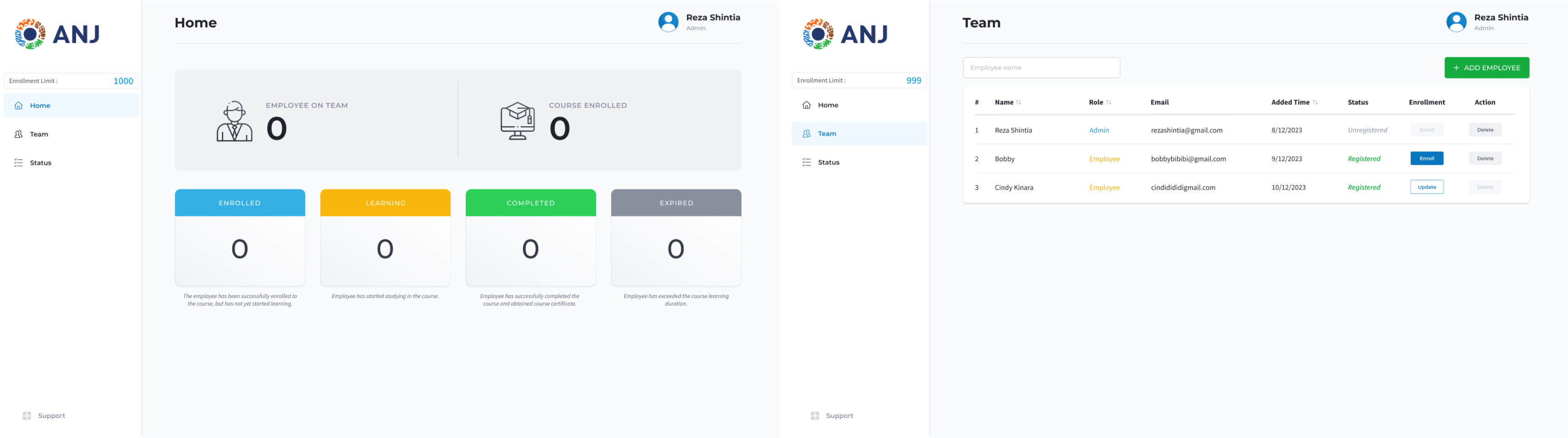
- User Management: Admins can view user lists, add new users, and monitor their activities.
- Activity Monitoring: Admins can track user progress in completing courses and manage reports.
User Stories
User Story 1: Registration and Login
- As a user, I want to be able to create an account and log into the platform so I can access the available courses.
User Story 2: Searching and Enrolling in Courses
- As a user, I want to search for courses by topic and enroll so I can follow the material and tasks.
User Story 3: Accessing Learning Content
- As a user, I want to access course materials like videos, documents, and quizzes so that I can learn flexibly.
User Story 4: Certification
- As a user, I want to receive a certificate after completing a course so I can verify the skills I’ve learned.
User Story 5: Course Management by Admin
- As an admin, I want to add and manage courses so I can provide up-to-date learning materials to users.
User Story 6: Monitoring User Activity by Admin
- As an admin, I want to monitor user progress so I can ensure they are completing the courses properly.
Wireframes/Mockups
Click here for more details.
Authentication Pages
Admin Pages
User Pages
Responsive Pages
System Architecture
Main Components
- Frontend:
- Framework: React.js (for the web app).
- Platform: Flutter (for mobile app, if applicable).
- Backend:
- Framework: Laravel (for server management and API handling).
- Database: MySQL (for storing user data, course details, and progress tracking).
- Cloud Infrastructure:
- AWS (for hosting and storing files like course videos).
- S3 (for storing media content).
- Authentication:
- OAuth 2.0 for user and admin authentication and authorization.
Database Design
Soon.
API Documentation
Check the API documentation here.
Testing Documentation
Manual Testing
- Registration and Login Testing:
- Verify that users can create accounts and log in with valid credentials.
- Admin Course Management Testing:
- Ensure that admins can add, edit, and delete user to courses successfully.
- User Course Access Testing:
- Check if users can access their enrolled courses, view materials, and complete quizzes.
- Certification Testing:
- Ensure certificates are correctly generated after course completion.
Deployment Documentation
Deployment Steps
Soon.
User Guide
For Users
Soon.
For Admins
Soon.